I wonder if I put a few words here?

Category: Uncategorised (Page 1 of 2)

Final Portfolio

Introduction

Throughout this course, I explored how different forms of media can create engaging learning experiences. Before taking EDCI 337, I had little experience creating multimedia projects beyond taking photos and short videos. Over the semester, I learned how thoughtful design choices, storytelling, and multimedia principles improve communication and understanding.

This portfolio reflects my learning throughout the course by discussing my multimedia story, Daily Creates, and data visualization activities while explaining how they demonstrate the learning outcomes.

Looking back, I can clearly see my progress from someone who was unfamiliar with multimedia design to someone who can intentionally combine text, images, audio, video, and data to communicate ideas more effectively. I believe the knowledge and skills I gained in this course will continue to benefit me in both my academic studies and my future career.

  1. Contextualize how learning informs interactive and multimedia experiences.

At the beginning of the semester, I was not sure what exactly interactive and multimedia meant, but through the lectures and Daily Creates, I realized that effective multimedia learning is based on intentional design rather than the number of media elements used or simply combining different types of media. Studying multimedia learning theories helped me recognize how text, images, audio, and video can work together to support learning. For example, in my Week 5 Daily Create (https://thisismystudentblog2.opened.ca/2026/06/25/daily-creation-week-5/), I posted a photograph of a meaningful place along with an introduction in my first language. Although the photograph and audio presented different aspects of my experience, together they communicated my identity more effectively than either medium could have alone. In my Week 6 data visualization activity (https://thisismystudentblog2.opened.ca/2026/06/25/daily-creation-week-6/), graphs communicate more effectively when they present information clearly rather than simply including more data. Creating my own visualizations taught me that effective graphs communicate key information clearly rather than simply presenting more data. Overall, these experiences taught me that effective multimedia learning is achieved by intentionally selecting media that support the learning goal rather than using multiple forms of media simply because they are available. Sharing my work and viewing my classmates’ creations helped me understand that learning is interactive and encouraged me to improve my own multimedia projects.

2. Apply multimedia design principles in planning your educational resources

One of the most valuable concepts I learned in this course was Mayer’s Multimedia Learning Principles. Before taking this course, I mainly focused on creating media that looked visually appealing. However, I learned that effective multimedia design requires thoughtful planning so that learners can focus on the most important information without becoming overwhelmed.

I applied these principles most clearly in my week 6 data visualization activity (https://thisismystudentblog2.opened.ca/2026/06/25/daily-creation-week-6/).

When creating graphs about Manchester City’s 20256-26 season, I intentionally selected simple graphs without unnecessary decorative elements to follow the Coherence Principle. I also used clear titles and labels to draw viewers’ attention to the key statistics, applying the Signaling  Principle. In addition, I posted labels close to the graphs so that viewers could easily connect the text with the visual information, following the Spatial Contiguity Principle.

This experience changed the way I approach multimedia design. Instead of asking whether a design looks attractive, I now consider whether each design choice helps the audience understand the information more effectively. I believe this way of thinking will be useful whenever I create presentations, reports, or other educational resources in the future.

3. Engage in design thinking to create multimedia learning projects

The Daily Creates activity helped me understand that designing multimedia projects involves planning, adapting, and making thoughtful decisions rather than simply creating media. Before starting each activity, I considered what message I wanted to communicate and which type of media would best support that goal.

For example, in my Week 3 photography activity (https://thisismystudentblog2.opened.ca/2026/06/25/daily-creates-week-3/), I chose to photograph a single tree instead of a wider landscape because I wanted viewers to focus on one subject without unnecessary distractions. In Week 4 (https://thisismystudentblog2.opened.ca/2026/06/25/daily-creation-week-4/), I originally planned to record peacocks walking in Beacon Hill Park, but after finding them resting in a tree instead, I adapted my original idea while still creating a meaningful video. These experiences taught me that flexibility is an important part of design. By the end of the course, I became more confident in planning projects and adapting to unexpected situations.

4. Apply storytelling principles in creating effective learning opportunities.

Throughout this course, I realized that storytelling is not limited to written stories or videos. Personal experiences, photographs, sounds, and other forms of media can also communicate meaningful messages and help audiences connect with the content. By sharing my own experiences, I found that multimedia became more engaging and relatable.

One example was my Week 2 Daily Create (https://thisismystudentblog2.opened.ca/2026/06/25/daily-creation-week2/), where I introduced a nostalgic Japanese graduation song. Rather than simply sharing the music, I explained its cultural significance and why it reminded me of my own graduation ceremonies in Japan. This allowed viewers to understand both the song and the personal memory behind it. Another example was my Week 5 Daily Create (https://thisismystudentblog2.opened.ca/2026/06/25/daily-creation-week-5/), as I mentioned in outcome 1 part,  I combined a photograph of a meaningful place with an audio introduction in Japanese. Together, these media helped tell a more complete story about my identity and experiences stronger connections with audiences and make multimedia projects more memorable and meaningful.

5. Describe and apply principles of effective interactive multimedia design.

The Multimedia Story assignment (https://thisismystudentblog2.opened.ca/2026/06/17/multimedia-story-final/) gave me the opportunity to combine different forms of media into one meaningful learning experience. My project documented a motorcycle trip to East Sooke Regional Park, where I used driving videos, nature photographs, and written descriptions to share both the journey and the destination. Instead of presenting each piece of media separately, I organized them in a logical sequence so that viewers could follow the experience from the beginning of the ride to exploring the park.

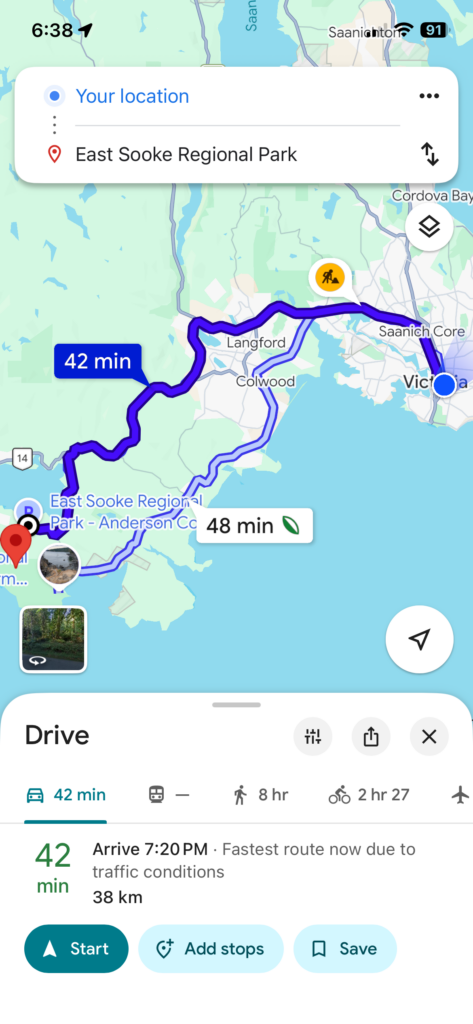
Creating this project helped me understand that effective multimedia design depends on how different media complement one another. The driving videos provided movement and context, while the photographs allowed viewers to appreciate the scenery in greater detail. The map provided viewers with geographical context, while the driving videos showed the journey itself and the photographs highlighted details of the natural environment. This project brought together many of the skills I had developed throughout the course and increased my confidence in creating multimedia content with a clear purpose.

6. Generate a variety of prototype artifacts including: comics, videos, and web pages.

Throughout this course, I created a variety of multimedia artifacts that developed my technical and creative skills. Each week’s Daily Create introduced a different type of media, including text, audio, photography, video, multimedia, and data visualization. Since I had little experience creating multimedia content before this course, each activity gave me an opportunity to experiment with a new way of communicating ideas.

Working with different media helped me understand that each form has its own strengths. Text allowed me to express ideas clearly, audio communicated emotion and personal experiences, photographs captured meaningful moments, videos added movement and context, and data visualizations presented information in a clear and organized way. Rather than relying on one type of media, I learned to select the format that best matched the purpose of each project. By the end of the semester, I felt much more confident creating multimedia artifacts and adapting my ideas to different media formats.

7. Use GenAI appropriately as a tool to support creative activities. (NOTE: ‘Appropriate GenAI use’ might be refusing to use GenAI.)

I used generative AI as a learning support tool rather than as a replacement for my own work. I mainly used ChatGPT to brainstorm ideas, organize my reflections, improve grammar, and better understand assignment expectations. These conversations helped me think more critically about my projects and reflect on my learning throughout the semester.

At the same time, I made sure that the creative work remained my own. I took all of my photographs, recorded my own audio and videos, created my own data visualizations, and wrote about my personal experience. AI supported the planning process, but it did not replace my creativity or decision-making. This experience taught me that generative AI can be a valuable learning tool when it is used ethically to support reflection or organization while maintaining academic integrity.

Challenges and Growth

One of the biggest challenges I faced during the course was learning to create interesting media. At first, I focused on making my projects visually creative. As the course progressed, I realized that effective multimedia design requires careful planning and international decisions that support the learner’s understanding. Another challenge was creating new content every week using different media formats. Since I had little experience with photography and audio recording, each Daily Create pushed me outside of my comfort zone. These challenges helped me become more confident in experimenting with new ideas and applying multimedia design principles with a clear purpose.

Future Applications

The knowledge and skills I developed in this course will be valuable in both my studies and career. As an Economics student, I often use the information through reports, graphs, and data visualizations. This course taught me how to present information more clearly by selecting appropriate media and considering the audience’s perspective. I will apply these skills whenever I create presentations, visualize data, or explain complex ideas.

Reference

EDCI 337. (2026). Interactive & Multimedia Learning course modules. University of Victoria. https://edtechuvic.ca/edci337/

The DS106 Daily Create. (2026). The DS106 Daily Create. https://daily.ds106.us/
Daily Creation week 6

For this week’s Daily Creates, I explored data visualization by creating charts based on one of my interests—soccer. Instead of using the Daily Create website, I chose to visualize data that was meaningful to me, as suggested by our instructor. Data visualization is an effective way to organize information and make patterns easier to recognize than reading a list of numbers. In this post, I created two visualizations using different chart types to compare statistics and present trends in a clear and engaging way.

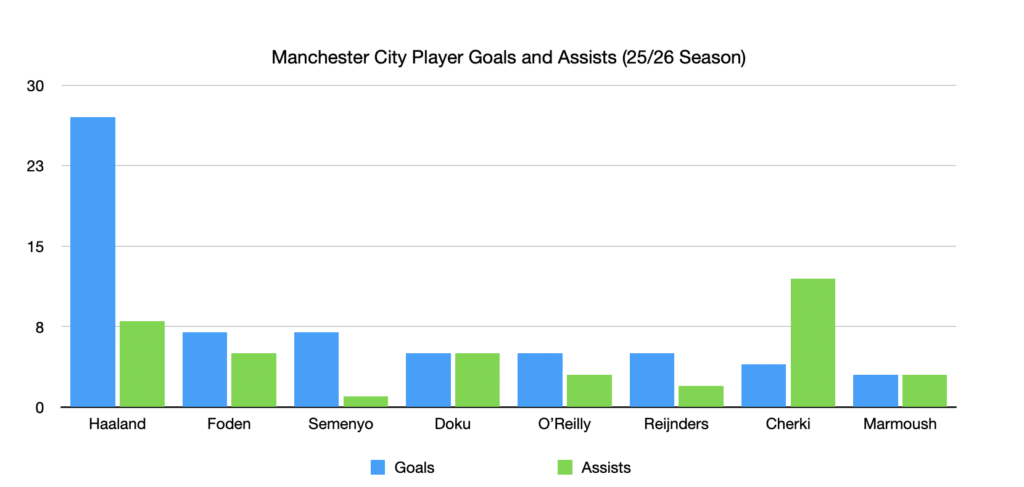
Soccer is one of my favorite sports, so I decided to visualize the goals and assists of Manchester City players during the 2025–26 season. I used a grouped bar chart because it allows me to compare two related statistics for each player at the same time. From the chart, it is easy to see that Haaland scored the most goals, while Cherki contributed the highest number of assists.

I tried to follow several of Mayer’s Multimedia Learning Principles when creating this visualization. First, I applied the Coherence Principle by including only the essential information—player names, goals, assists, and a simple title—without adding unnecessary decorations or distracting graphics. I also used the Signalling Principle by giving goals and assists different colours, making it easier to distinguish between the two categories. Finally, I followed the Spatial Contiguity Principle by placing the legend directly below the chart and keeping all labels close to the corresponding bars, allowing viewers to understand the information quickly without searching around the page.

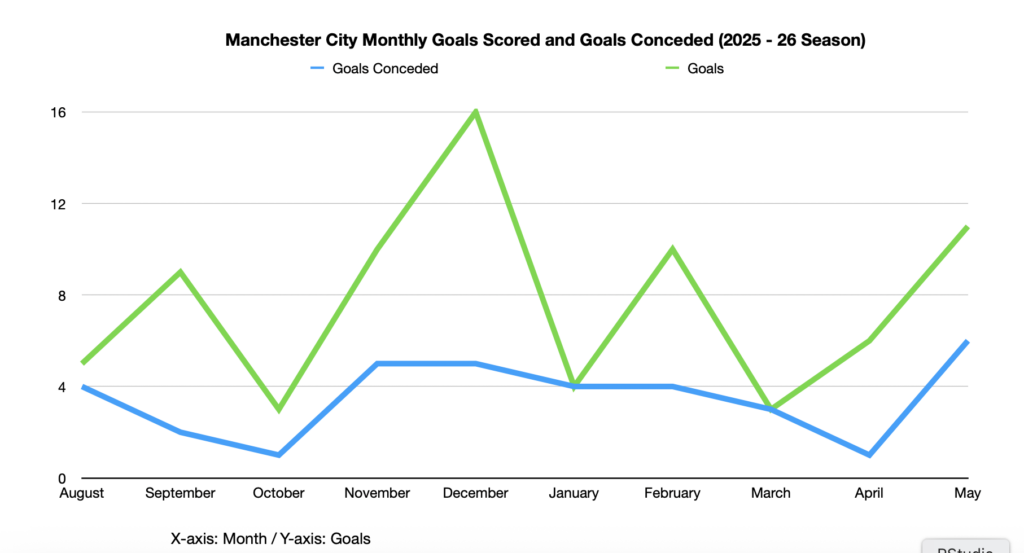
For my second visualization, I created a line chart showing the number of goals Manchester City scored and conceded each month during the 2025–26 season. Unlike the first chart, which compares individual player statistics, this visualization focuses on the team’s overall performance throughout the season. A line chart is the best choice because it clearly shows changes and trends over time. For example, the team scored the most goals in December, while the number of goals conceded remained relatively consistent in most months.

When designing this chart, I applied several of Mayer’s Multimedia Learning Principles. I used the Signalling Principle by assigning different colours to goals scored and goals conceded, making it easy to distinguish between the two lines. I also followed the Coherence Principle by including only essential information, without unnecessary decoration. Finally, I applied the Spatial Contiguity Principle by placing the legend and labels close to the graph so viewers can quickly understand the data without searching for information.

This week’s Daily Creates showed me that data visualization is an effective way to communicate information. By using both a grouped bar chart and a line chart, I learned that different chart types are useful for different purposes. The bar chart helped compare player statistics, while the line chart highlighted changes in the team’s performance over time. I also became more aware of Mayer’s Multimedia Learning Principles, especially the importance of keeping visualizations simple, organized, and easy to understand. Overall, this activity demonstrated how well-designed charts can make data more engaging and meaningful than presenting numbers in a table.

Daily Creation week 5

For this week’s Daily Creates, I explored multimedia through images, audio, and personal storytelling. I selected activities that allowed me to share meaningful aspects of my life, including a place that has become familiar to me in Victoria, an object connected to one of my longest hobbies, and an audio introduction in my native language. Together, these different forms of media helped me communicate personal experiences in ways that a single medium could not.

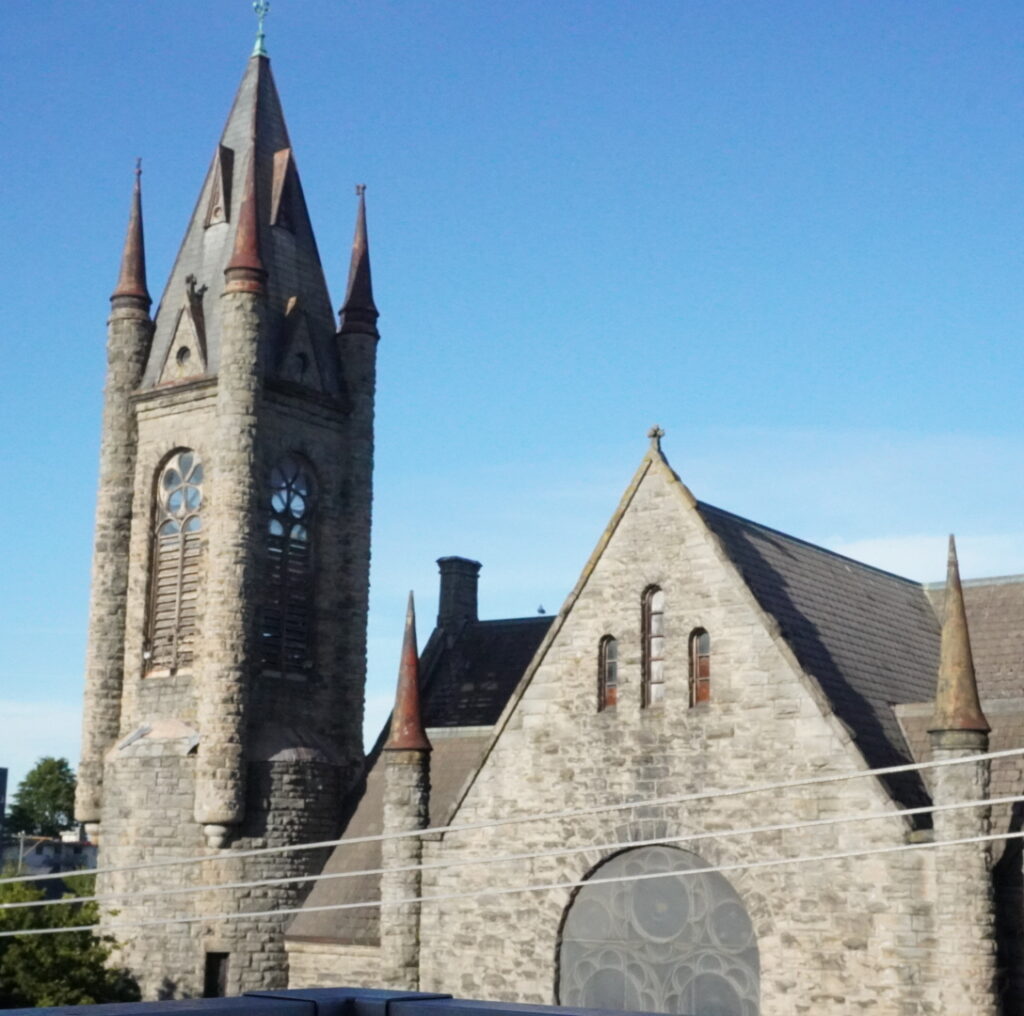
A Place That Means Something to Me:

This church is one of the first things I see when I look out from my apartment. The design and structure of the building are very different from what I usually see in Japan. Because of its unique architecture and the view around it, I find it calming and relaxing to look at. Since moving to Victoria, this view has become a familiar part of my daily life and reminds me of my experience living in Canada as an international student.

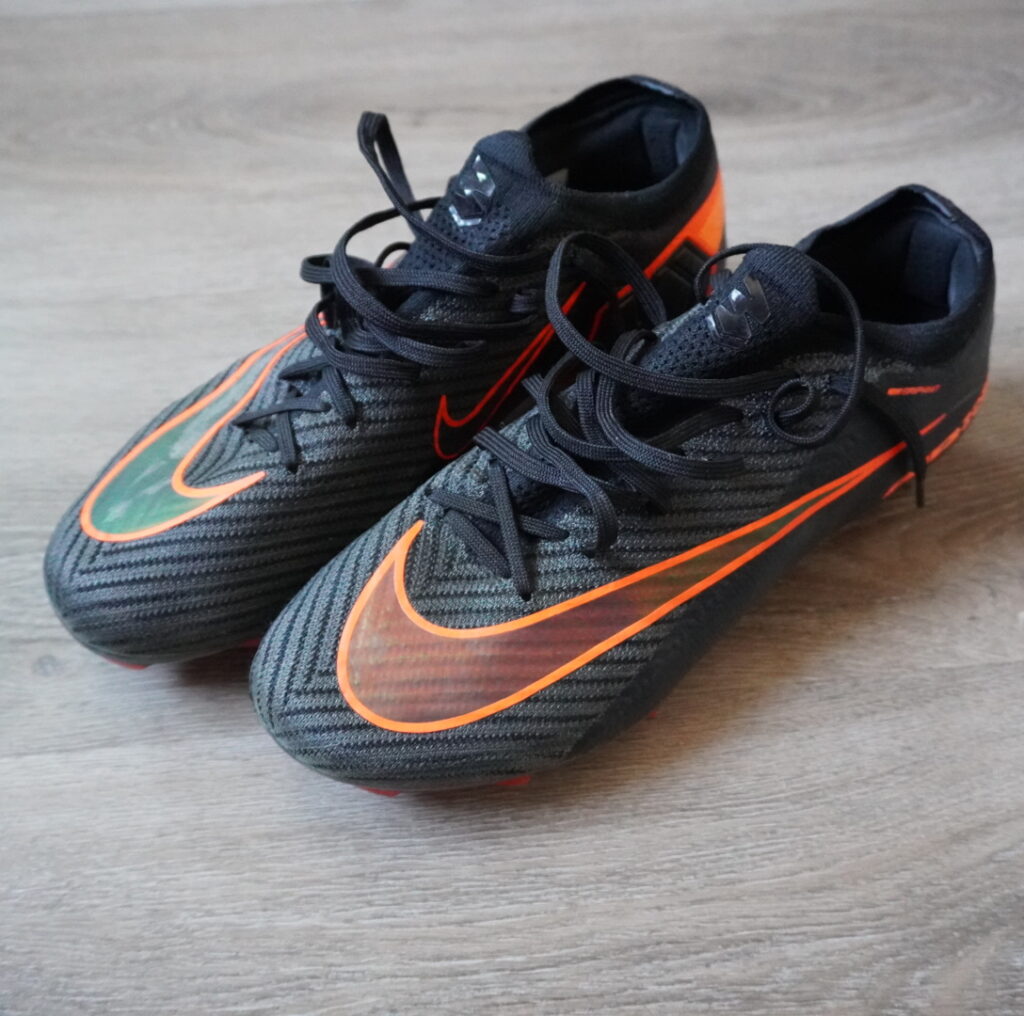
Meaningful Object:

These soccer cleats are one of my most meaningful possessions because soccer has been a major part of my life since elementary school. Through soccer, I have learned teamwork, discipline, and perseverance. After moving to Canada, playing soccer also helped me stay active and meet new people. Some of my favorite memories and friendships have come from the sport, and these cleats remind me of the experiences I have had both in Japan and in Victoria. Although they are just a pair of shoes, they represent many years of hard work, growth, and enjoyment.

Japanese Audio Introduction:

For this Daily Create, I introduced myself in Japanese, my native language. Although I use English every day at university and work, speaking Japanese reminds me of my background and where I came from. This activity demonstrates how audio can communicate identity and personality in ways that written text cannot. It also highlights the value of using multiple forms of media to share information and personal experiences.

This week’s Daily Creates helped me think about how different forms of media can communicate meaning in different ways. The church photograph allowed me to share a place that has become important during my time in Victoria, while the image of my soccer cleats represented a hobby that has shaped much of my life. The audio introduction added another layer by allowing me to express my identity through spoken language rather than written text.

These activities connect to Mayer’s Multimedia Principle, which suggests that people learn more effectively when information is presented through multiple forms of media. The combination of images, audio, and text provided different ways to communicate ideas and experiences. In addition, these Daily Creates relate to Universal Design for Learning (UDL) because they offer multiple means of representation and expression. Creating and sharing content through different media helped me better understand how multimedia can make communication more engaging and meaningful.


Daily Creation week 4

For this week’s Daily Creates, I explored three different video challenges related to the weekly media focus. Each challenge encouraged me to think about video in a different way, from capturing an unexpected moment in nature to highlighting movement in everyday life and even creating a deliberately boring video. Together, these activities helped me explore how video can be used to communicate different experiences and capture moments that might otherwise go unnoticed.

For my second Daily Create, I chose “It’s Fast.” I recorded a short video of the traffic moving through the intersection outside my apartment. Watching the continuous flow of cars reminded me how quickly everyday city life moves. Although it is something I see every day, recording it made me notice the constant motion that often goes unnoticed.

For my third Daily Create, I chose “Can you make a Boring Video?”I recorded a short, stationary video of a light switch on my apartment wall. There is almost no movement or action, making it intentionally uninteresting. This challenge made me think about how movement, change, and storytelling usually keep viewers engaged, and how removing those elements can make a video feel much less interesting.

Completing three different Daily Creates helped me think about how video can capture very different experiences. One video focused on an unexpected discovery in nature, another highlighted movement in an everyday city scene, and the last intentionally removed movement and excitement. These activities showed me that the way a video is created can greatly influence how viewers experience and interpret what they see.

Daily Creates week 3

This week, I completed three image-based Daily Creates inspired by the Today’s Daily Create (TDC) website. Through these activities, I photographed a meaningful object, a tree, and an everyday object from an unusual perspective. Each prompt encouraged me to look at ordinary subjects in a more creative way.

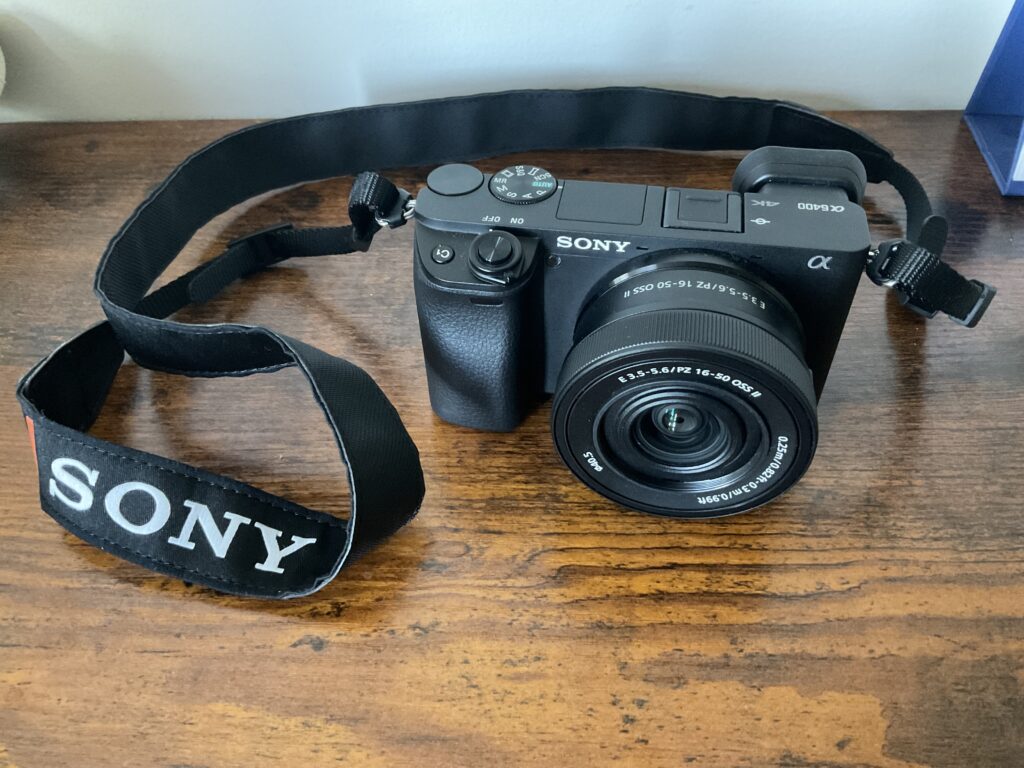
Meaningful Object

The object I chose is my camera. Photography has become one of my favourite hobbies because it encourages me to pay attention to details that I might otherwise overlook. Whether I am walking around Victoria, travelling, or photographing nature, my camera helps me see things from different perspectives. I chose this object because it represents creativity, curiosity, and personal growth. It is also something that motivates me to explore new places and improve my photography skills.

One Tree:

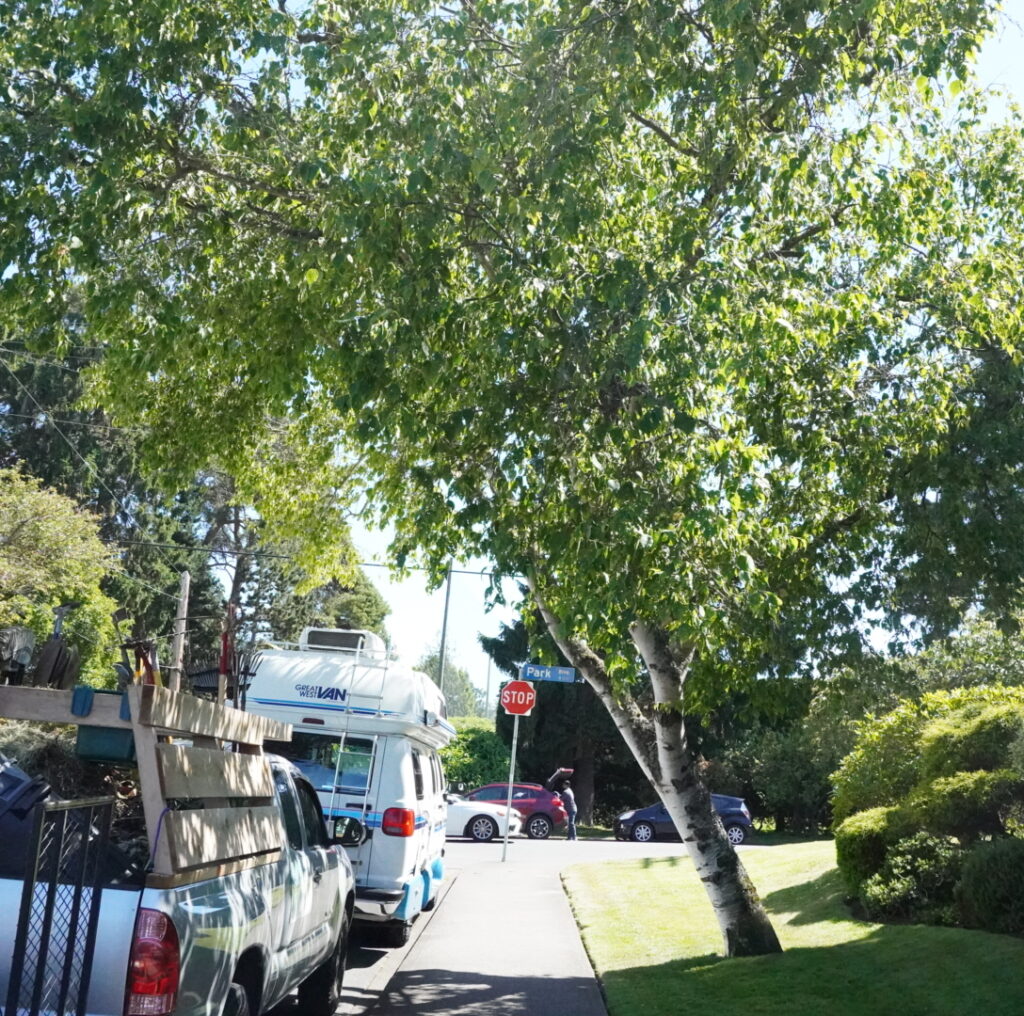
For this Daily Create, I photographed a tree near my apartment. Although I pass by it regularly, I rarely stop to look at it closely. This activity encouraged me to pay more attention to ordinary parts of my environment. I liked how the sunlight filtered through the leaves and created different shades of green throughout the image. The prompt reminded me that interesting subjects can often be found in everyday places if we take the time to notice them.

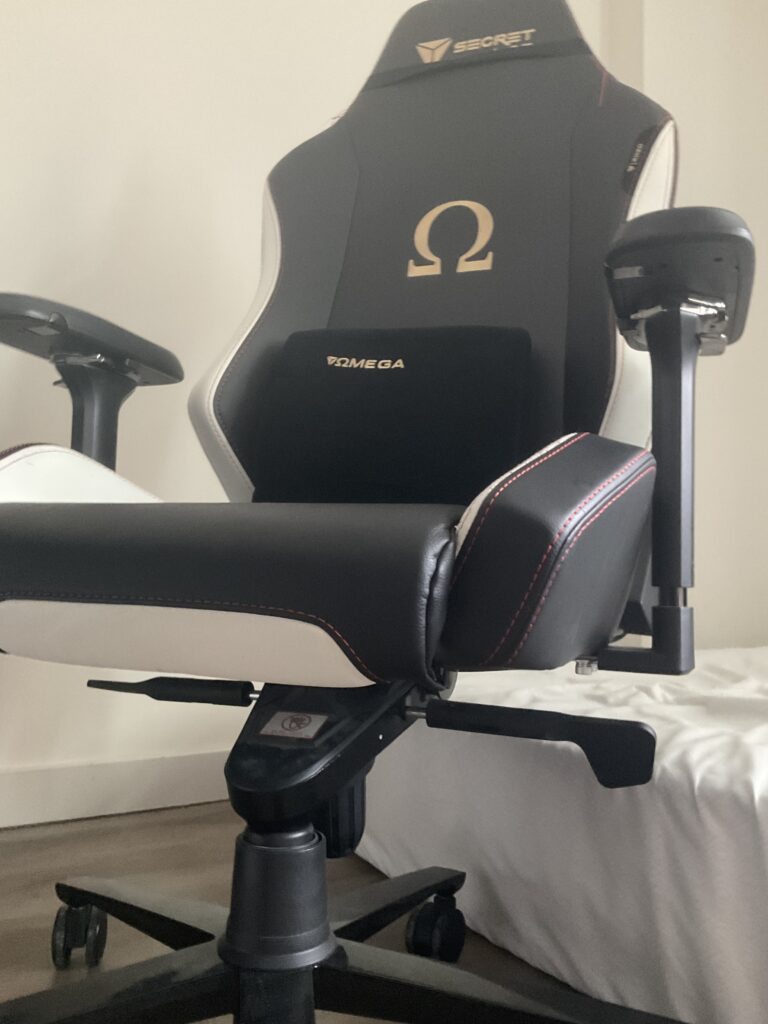
For this Daily Create, I photographed my gaming chair from a low angle instead of at eye level. I usually see it while sitting at my desk, but changing the perspective made it appear much larger and more dramatic. This activity showed me how a simple change in camera angle can completely change the way an everyday object is perceived. It reminded me that photography is not only about the subject itself but also about how it is presented to the viewer.


This week’s Daily Creates encouraged me to look at everyday objects and places in a different way. Although the prompts seemed simple, they reminded me that interesting images can be created from ordinary subjects by paying attention to perspective, composition, and personal meaning.

The meaningful object activity was my favorite because I chose my camera, which has become one of my favorite hobbies. It represents my interest in photography and reminds me to slow down and notice details that I might otherwise overlook. The tree activity encouraged me to pay closer attention to my surroundings. Even though I walk past trees almost every day, I rarely stop to appreciate them. Finally, photographing my chair from a low angle showed me how changing the camera’s perspective can make a familiar object look completely different.

These activities helped me understand that creating images involves more than simply taking a picture. I had to think about framing, lighting, and the story I wanted each image to tell. This connects to multimedia learning because images can communicate ideas and emotions in ways that words alone sometimes cannot. Overall, this week’s Daily Creates helped me become more intentional with my photography and reminded me that creativity can be found in ordinary moments when we take the time to observe them more carefully.

Daily Creation week2

For this week’s Daily Creates, I explored different ways that audio can communicate ideas, emotions, and experiences. I completed three audio-focused Daily Creates: Environmental Sounds, Going All Nostalgic On Us, and Visualize the Music. Each activity encouraged me to think about how sound can capture memories, represent places, and even be transformed into visual media.

For this Daily Create, I recorded the sounds of downtown Victoria. The recording captures a mix of city noises, including traffic, people moving through the area, and the general atmosphere of a busy downtown environment. Listening closely to the recording made me notice details that I would normally ignore when walking through the city. This activity showed how audio can capture a sense of place and help people experience an environment even without seeing it.

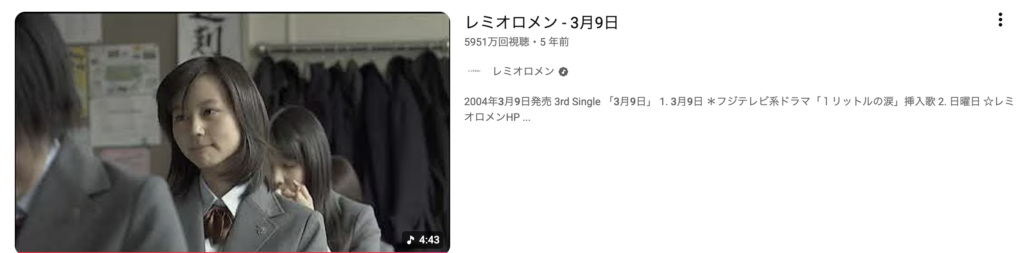
For this Daily Create, I chose the song “3月9日 (Sangatsu Kokonoka)” by レミオロメン (Remioromen). This song is well known in Japan and is often sung during graduation ceremonies. I sang this song when I graduated from both elementary school and middle school, so it brings back many memories of my school years and classmates.

Whenever I hear this song, I remember the emotions of graduation, including excitement for the future and sadness about saying goodbye to friends. Even though several years have passed, the song still reminds me of those important milestones in my life

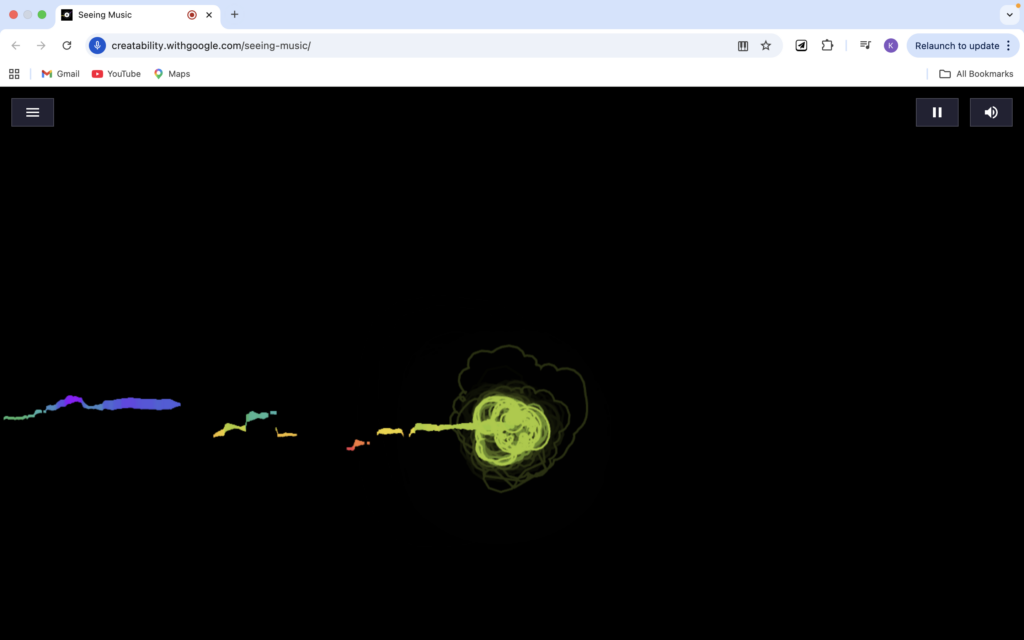
For this Daily Create, I used the song 3月9日 by Remioromen in Google’s Seeing Music experiment. This song is meaningful to me because it is commonly sung at graduation ceremonies in Japan, and I sang it during my elementary school and middle school graduation ceremonies.

was interesting to see how the melody and rhythm were transformed into colorful visual patterns. The visualization provided a different way to experience the song and showed how audio can be represented through another medium while still conveying emotion and meaning.

Reflection

This week’s Daily Creates showed me that audio can be used in many different ways to support communication and learning. Recording environmental sounds helped me pay more attention to my surroundings, while choosing a nostalgic song reminded me of important memories from my school years in Japan. The music visualization activity was especially interesting because it transformed sound into images, demonstrating how different media can be connected. Overall, these activities helped me better understand the role of audio in multimedia learning.

Daily Create week1

Overview

This week’s Daily Creates focused on text and writing. Since I do not often write poems or short stories, it was interesting to experiment with different forms of creative writing. The prompts provided a starting point while still allowing room for creativity and personal expression.

Through these activities, I learned that text can communicate ideas, emotions, and imagery without relying on photos, audio, or video. While some prompts were more challenging than others, they encouraged me to think creatively and approach writing from different perspectives.

National Lost Sock Memorial Day:

After a long soccer practice, I threw my uniform and socks into the laundry basket. The next morning, one of my black socks had disappeared.

I searched under my bed, in my closet, and even inside my gym bag, but it was nowhere to be found.

A few weeks later, while cleaning my room, I discovered it hiding behind my dresser. Covered in dust but still wearable, the lost sock was finally reunited with its partner.

Its adventure was over, and it had a happy ending.

Alphabet Story:

After class, I walked toward the library.

Busy students filled every table.

Curious minds searched for books and articles.

Determined learners prepared for upcoming exams.

Every corner seemed occupied.

Focused faces stared at computer screens.

Groups quietly discussed their assignments.

However, I eventually found an empty seat.

I settled in and opened my laptop.

Just as I began working, I realized how much I still had to do.

Knowing time was limited, I stayed focused.

Little by little, my work started coming together.

Meanwhile, the afternoon passed quickly.

Near sunset, I finally finished.

Overall, it was a productive day.

Pleased with my progress, I packed my bag.

Quietly, I left the library.

Relieved, I headed home.

Soon, I could finally relax.

The hard work had paid off.

Ultimately, the effort was worth it.

Victory felt satisfying.

With a smile, I reflected on the day.

Xylophones were nowhere to be found, but thankfully neither were distractions.

Yesterday’s stress seemed far away.

Zzz… after all that work, I was ready for sleep.

Describe the Feelings of silence to someone who cannot hear :

Silence feels like standing alone on a hiking trail early in the morning before anyone else arrives. There are no distractions competing for your attention, and everything seems calm and still.

It creates space for reflection and allows your thoughts to become clearer. Time feels slower, and small details that are normally overlooked become more noticeable.

Silence is not empty. Instead, it can feel peaceful, comforting, and sometimes even refreshing after a busy day.

Reflection

Of the three activities, I found the Alphabet Story the most challenging because it required planning each sentence around a specific letter while still maintaining a clear story. The lost sock story was enjoyable because it allowed me to create a simple narrative from an everyday situation, and the silence prompt encouraged personal reflection.

These activities showed me that writing can be an effective way to communicate experiences and emotions. The Mayer principle that best connects to this week’s activities is the Personalization Principle. Because the prompts encouraged me to write in my own voice and draw from personal experiences, the activities felt more engaging and meaningful. This made it easier to connect with the content and express my ideas creatively.

Multimedia Story Final

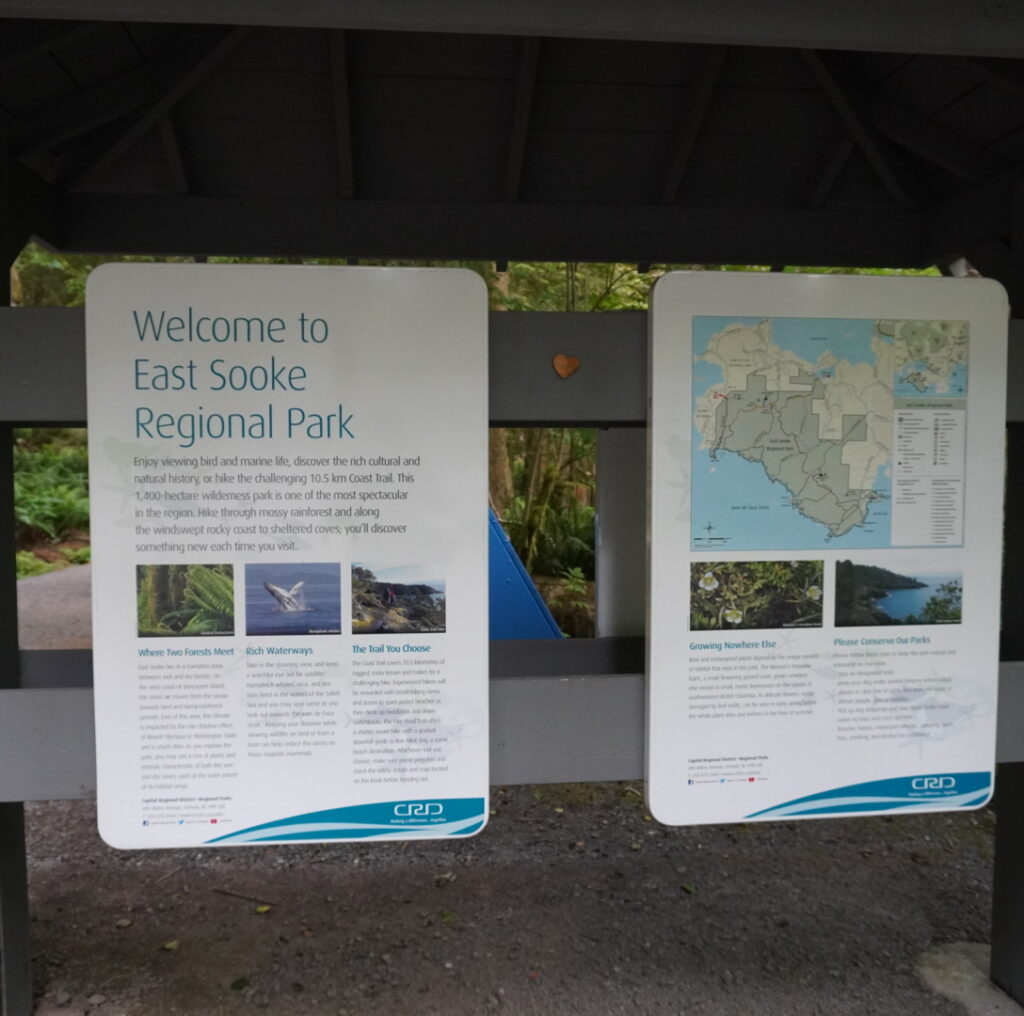
Exploring the East Sooke


Introduction

For this multimedia story, I decided to explore East Sooke Regional Park. Although I have been living in Victoria for almost three years, I realized that I had not explored many places outside the city. East Sooke is well known for its hiking trails, wildlife, and coastal scenery, making it an ideal destination for this project. I wanted to use this assignment as an opportunity to experience more of Vancouver Island’s natural environment while improving my photography and storytelling skills. Through this adventure, I hoped to discover a new place, capture its atmosphere through different forms of media, and reflect on my experience in nature.


Preparation & Planning

In planning this trip, the most important thing was the weather because I ride a motorcycle, and I do not want to go on a hike with wet clothes. So I checked the weather and routes to get to the East Sooke Regional Park to make sure which exit I would need to use.

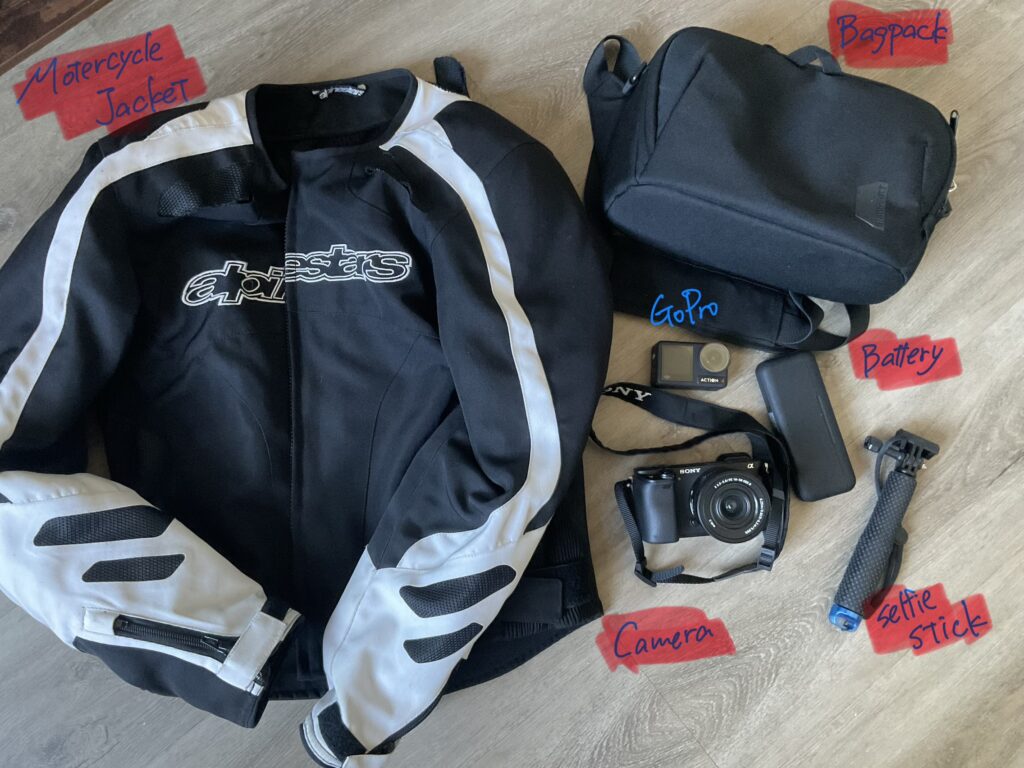
For this adventure, I needed to prepare both my photography equipment and motorcycle gear. Since I was travelling by motorcycle, safety and weather protection were important considerations. I packed my camera, fully charged batteries, and ensured there was enough storage space available for photos and videos. I also prepared my motorcycle jacket, backpack, and other riding equipment to make the trip safe and comfortable. Because I planned to spend several hours outdoors, checking the weather forecast beforehand was an important part of the preparation process.


Starting the trip

The weather was perfect, but the temperature was a little high for riding. I expected that a lot of people would go there in the afternoon, and I did not want to go there at the busiest time, so I decided to go after 5 pm.

As I left Victoria, the scenery gradually changed from city streets to forested roads. The traffic was lighter than I expected, allowing me to enjoy the ride and focus on the surroundings. Along the way, I noticed signs warning drivers about wildlife such as deer and bears, which reminded me that I was entering a more natural environment. The ride itself became an important part of the adventure rather than simply transportation to the destination.


Arriving and Exploring the Park

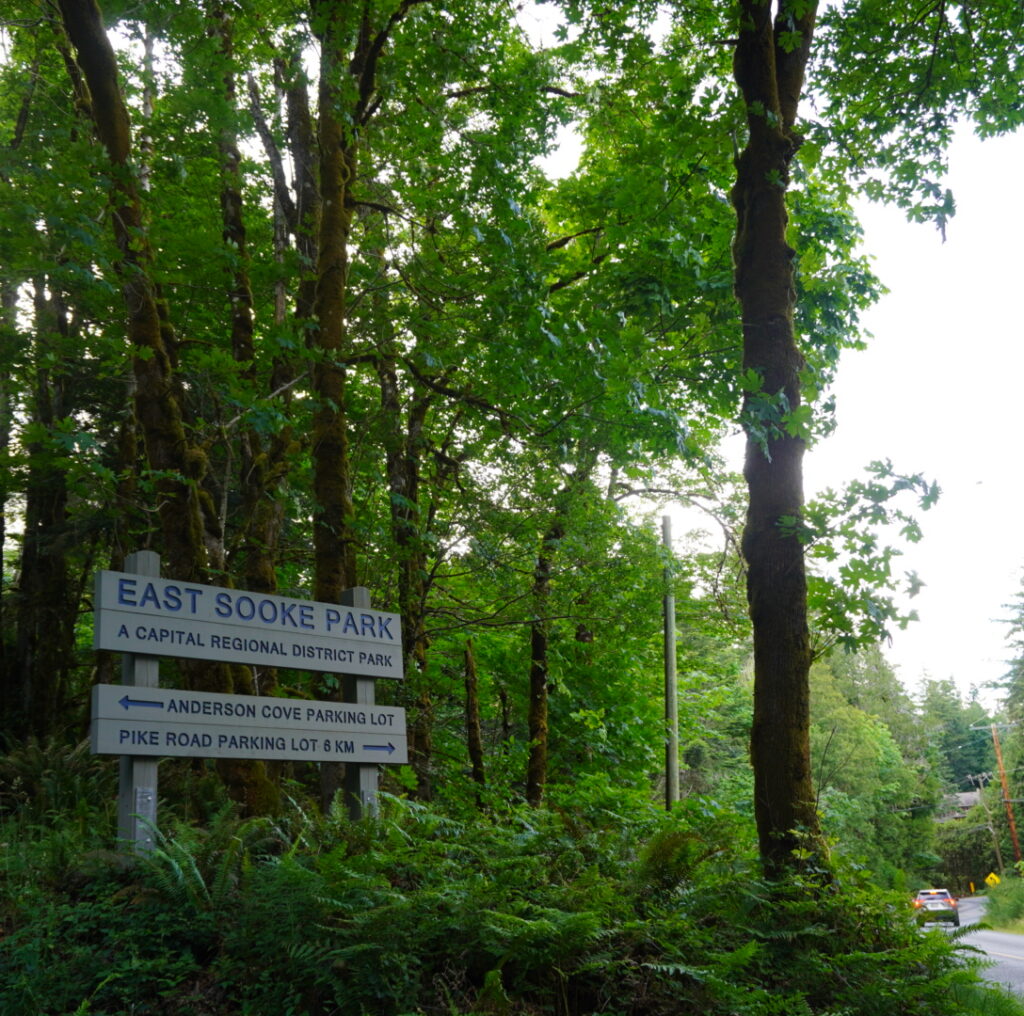
After about 40 min of riding, I arrived at East Sooke Regional Park. Although I had seen photos of the park online while planning this trip, seeing it in person felt very different. There were no people at the park, so the area was much quieter than I expected, and the natural surroundings immediately made me feel far away from the city.


Beginning the Hike

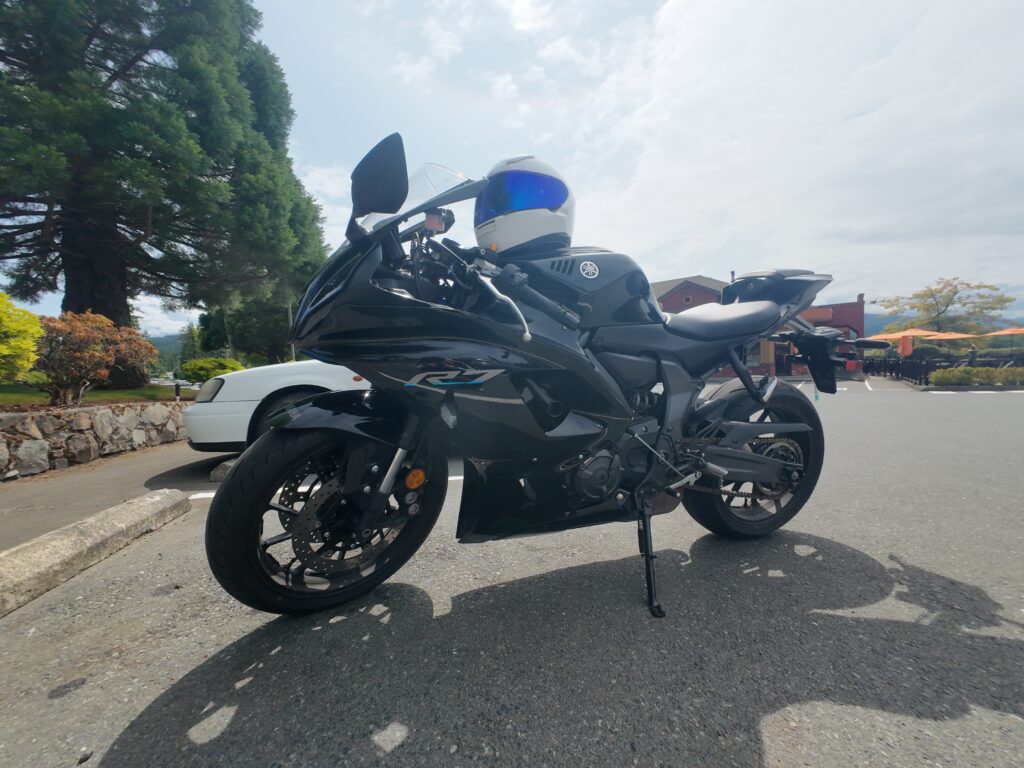
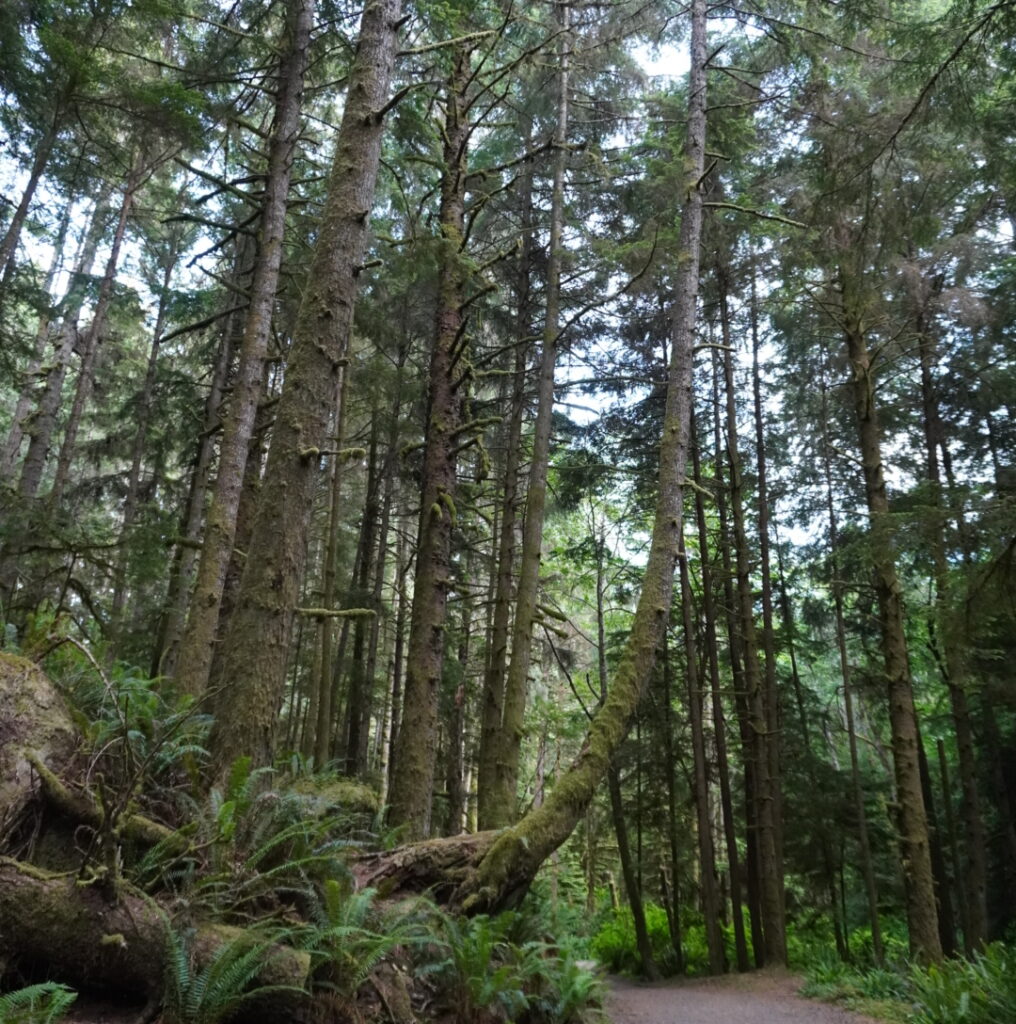
After parking my motorcycle and organizing my camera equipment, I started walking along the trail. The path was surrounded by trees and greenery, and the sounds of birds and wind created a peaceful atmosphere. At this point, I felt excited to explore an area of Vancouver Island that I had never visited before.

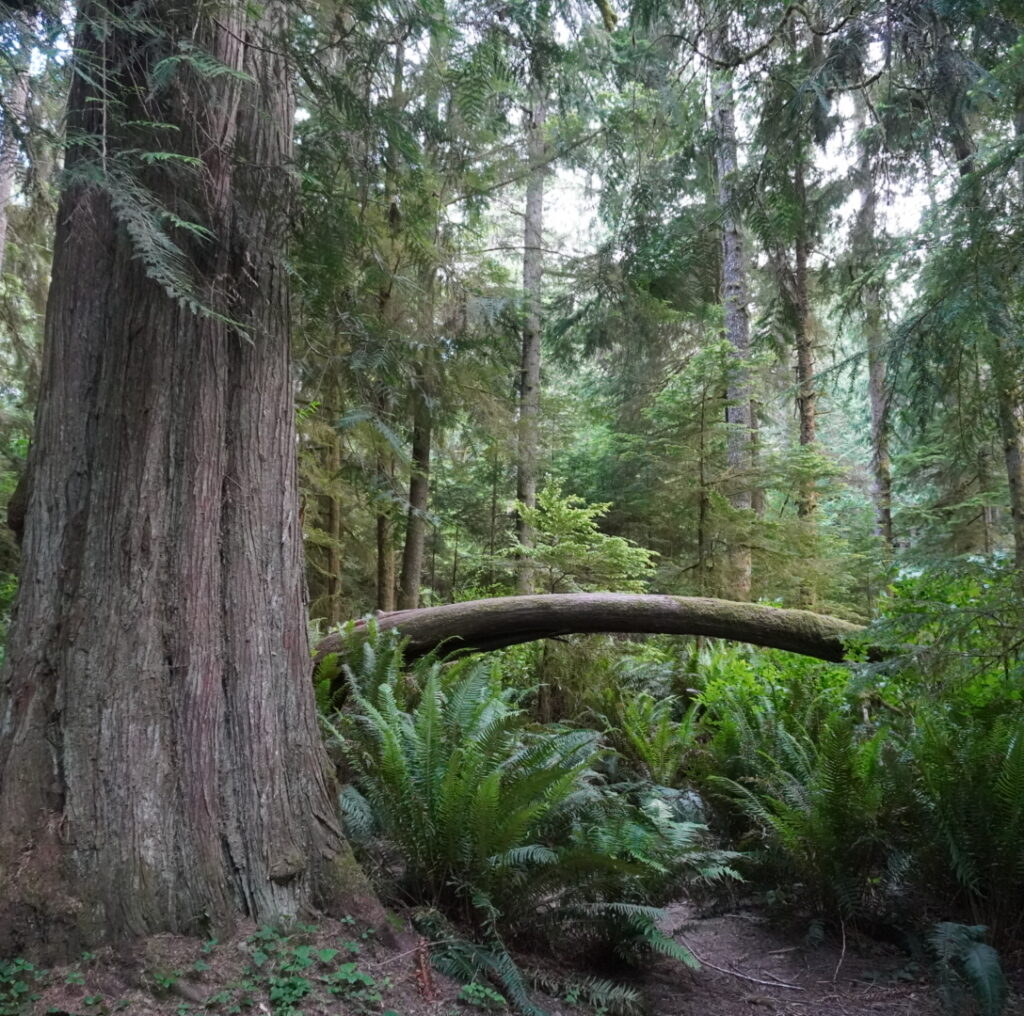
Shortly after entering the trial, I was surprised by the size of the trees. Many appeared to be much older than I expected, and some were so large that it was difficult to capture them fully in a single photograph. The forest felt untouched and very different from the urban environment I experience every day in Victoria.

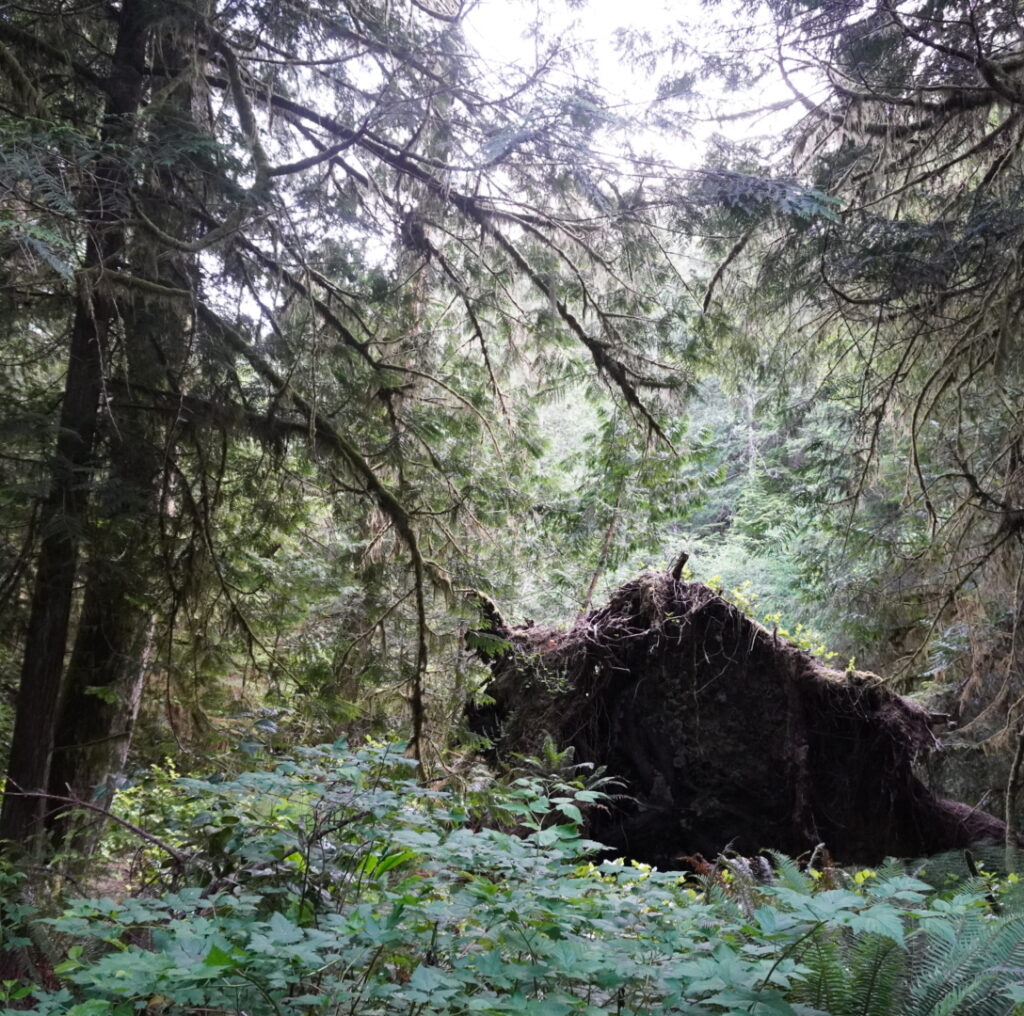
One thing that caught my attention was the number of fallen trees throughout the forest. Some had been uprooted entirely, exposing massive root systems. Even though these trees had fallen, they remained an important part of the landscape and demonstrated how forests continue to change over time.

Unexpected Discoveries

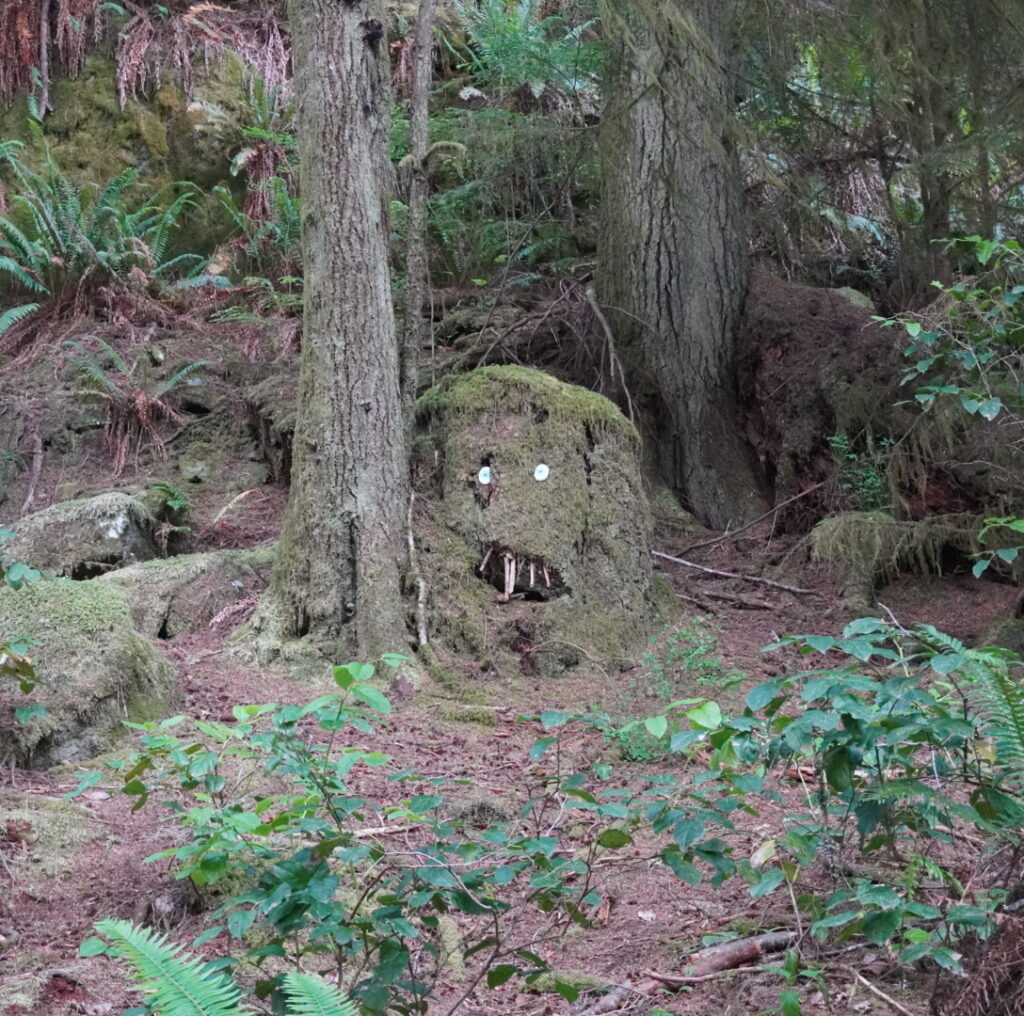
While hiking, I came across several unexpected details that made the experience memorable. One of them was a tree stump that had been decorated to look like a face. Discoveries like this added personality to the trail and reminded me that other visitors had interacted with the environment before me.


Arriving the Coast

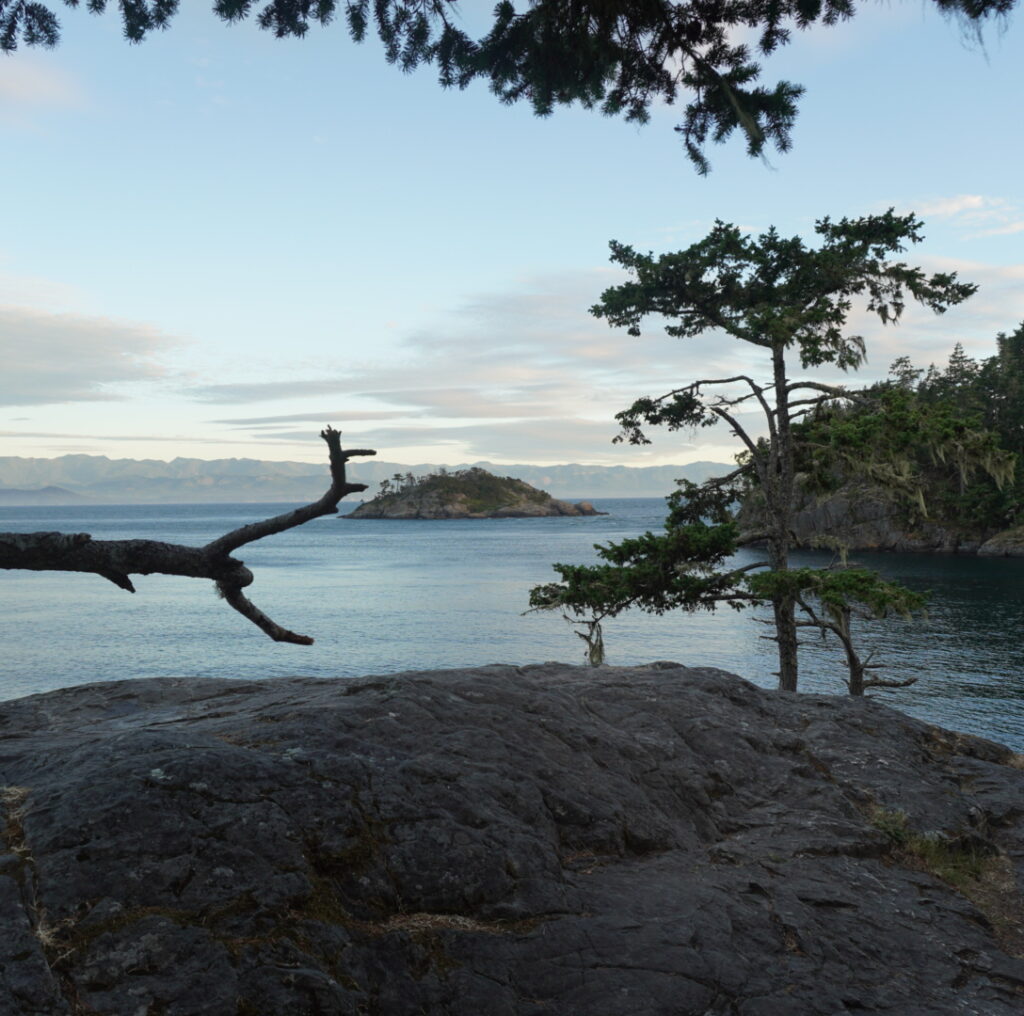
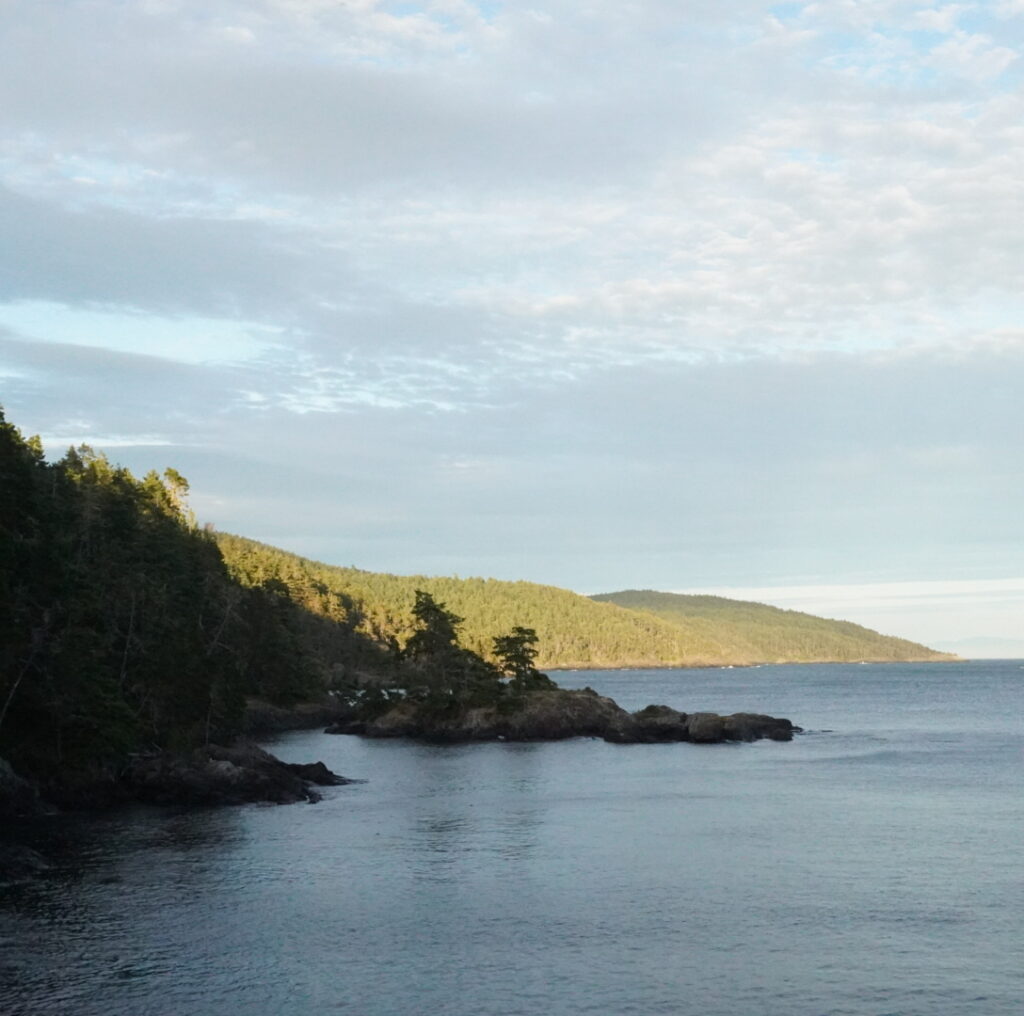
After hiking through the forest, the landscape suddenly opened up and revealed the coastline. Seeing the ocean after spending so much time surrounded by trees felt rewarding and made the hike worthwhile.

I spent several hours at the viewpoint taking photographs and simply enjoying the scenery. The calm water, coastal trees, and sound of the waves created a peaceful atmosphere that was difficult to capture through text alone.

Looking across the coastline, I was surprised by how much natural beauty exists so close to Victoria. Although I have lived here for several years, this trip reminded me that there are still many places around Vancouver Island that I have not explored.


Reflection

Creating this multimedia story helped me experience East Sooke Regional Park in a different way than a normal hike. Because I planned to document the trip through photos and videos, I paid more attention to details in the environment, including the large trees, fallen logs, forest trails, and coastal scenery. Instead of simply walking through the park, I found myself stopping frequently to think about which moments would best represent the experience.

One challenge I encountered during this adventure was photographing wildlife. While I could hear many birds throughout the forest, most of them remained hidden high in the trees or within dense bushes. By the time I located the source of a sound, the birds had often moved away or were obscured by branches and leaves. This made it difficult to capture clear wildlife photographs despite spending time searching for them.

Although I was unable to take many wildlife photos, the experience reminded me that nature photography requires patience and cannot always be planned. Instead, I shifted my focus toward photographing the forest itself, including the large trees, fallen logs, and coastal scenery. Adapting to these challenges helped me create a story that still represented the experience of exploring East Sooke Regional Park.


Applying Mayer’s Principles of Multimedia Learning

Signaling Principle

I used clear headings and sections throughout my story, such as Preparation, Exploring the Forest, and Reaching the Coast. I also included a map at the beginning to help readers understand where the adventure would take place.

Segmenting Principle

I organized the story into separate stages of the journey rather than presenting everything at once. This allows readers to follow the experience step by step, from planning the trip to exploring the forest and coastline.

Coherence Principle

I took many more photographs during the trip, but I selected only the images that best represented the forest, wildlife, and coastline. Removing unnecessary content helped keep the story focused and easy to follow.

Modality Principle

I combined text, photographs, and videos throughout the story. The videos allowed viewers to hear environmental sounds such as ocean waves and birds while also seeing the scenery, which helped communicate the experience through both visual and auditory channels.

Contiguity Principle

I placed photos and videos close to the text that describes them. This helps readers connect the written explanations with the visuals without to search through the page.

Personalization Principle

I wrote the story from my own perspective and shared my thoughts and experiences during the trip. Using a conversational style makes the story more engaging and relatable for readers.

This experience helped me better understand how multimedia can be used to communicate ideas and experiences effectively. Using different forms of media allowed me to present the environment in a more engaging and meaningful way. I will apply these lessons to future projects and presentations.

Multimedia Story – Draft

My plan for my adventure is to explore East Sooke Regional Park by motorcycle while documenting the experience through photography, video, and written reflection. I chose this location after researching natural areas near Victoria that are known for hiking, wildlife, and coastal scenery. Although I have been living in Victoria for 2 years, I realized that I have not explored many places outside the city, and I wanted to use this assignment as an opportunity to experience more of Vancouver Island’s natural environment.

My story will likely follow the progression of the adventure:

  1. Planning the trip and preparing equipment
  2. Travelling to East Sooke by motorcycle
  3. Hiking and exploring the park
  4. Photographing nature and wildlife
  5. Reflecting on the experience afterward

For this project, I plan to bring my camera, phone, motorcycle mount for navigation, extra batteries, and a small notebook for reflections during the trip.

The main media formats I plan are photography, video clips, route screenshots, and written reflections. Photography is one of my main media for the project because images can communicate atmosphere and emotion effectively. I also want to include short POV videos when I ride my motorcycle to help creative a immersive experience for viewers. Route screenshots from maps may also help visualize the journey and show the progression of the trip.

Because I plan to travel by motorcycle, weather conditions may strongly affect both safety and the quantity of my photography. I may need to adjust my schedule depending on rain or lighting conditions.

This project also connects to Mayer’s Principles of Multimedia Learning because I want to combine visuals, sound, and text carefully without overwhelming viewers with too much information at once. Instead of relying on large amounts of text, I hope the photos, audio, and videos themselves can communicate much of the experience naturally.

Through this project, I hope to explore unfamiliar areas around Victoria while improving my photography and storytelling skills. More importantly, I want to become more aware of my surroundings and experience nature in a slower and more thoughtful way.

Introduction Post

Hi Everyone, My name is Kaede Sugishima, and I am currently studying Economics at the UVIc. I am originally from Japan, and Japanese is my first language. I moved to Canada for university, and I am planning to graduate in the next couple of years while exploring different career paths related to economics, business, and technology.

One of my favourite academic subjects is economics because I enjoy learning how markets, policies, and people’s decisions are connected in the real world. Recently, I have also become interested in digital learning, AI, and multimedia communication because technology is changing the way people learn and share information.

Outside of school, I enjoy photography, soccer, travelling, and exploring new places. Photography is one of my biggest hobbies because I like capturing moments and memories, especially during trips or everyday life. I also enjoy working with visual content on social media and websites.

In the past year, one interesting thing I did was creating and working on blog-based projects using WordPress for university classes. Through these experiences, I learned how multimedia tools such as images, videos, and interactive content can make learning more engaging and personal.

My experiences with multimedia in education mostly come from online learning platforms, blogs, YouTube videos, and collaborative digital projects. I think multimedia helps people understand information more clearly and makes learning feel less passive compared to only reading textbooks.

In this course, I hope to learn more about how multimedia and interactive technology can improve communication and learning experiences. I am also excited to see everyone’s creative ideas and projects throughout the semester.

Thanks for reading, and I look forward to learning with everyone this term!

This is me and the field when I went to Salt Spring Island this summer.

« Older posts

© 2026 EDCI 337

Theme by Anders NorenUp ↑